
AI customer service is the use of artificial intelligence to answer, route and resolve customer requests across website chat, email, messaging apps such as WhatsApp, and voice. The best AI customer service doesn't stop at answering. Connected to your store, payments, shipping and helpdesk, an AI agent checks the facts, finishes the job, and hands over to a person when it should.
That last part is what we build at Cevanos: an AI customer service and experience platform that goes beyond answering questions to resolving customer requests. Most guides to AI customer service stay at the level of "AI can help with order status". This one shows you exactly how. You'll follow seven real requests handled by a Cevanos agent connected to Shopify, Stripe, AfterShip, Zendesk, Calendly and HubSpot. For each one, you'll see what the customer asks, what Cevanos checks, what it does, and where your team steps in.
You'll also find the basics: what AI customer service is and how it works. Then come edge cases, the main tools, ROI math, a 90-day rollout plan, the metrics that matter and the risks to manage.
What is AI customer service?
AI customer service, also called AI customer support, means using AI to handle part of the work of supporting customers. It works out what they want, finds the right information, takes the next step and keeps the record straight. Older automation followed fixed scripts and decision trees. Modern customer service AI uses large language models (LLMs) that understand free-form questions. Connected to your business systems, it can work with real order, payment, shipping and booking data.
AI shows up in three roles in a support team:
| Compared on | AI agent (customer-facing) | AI copilot (agent assist) | AI in operations |
|---|---|---|---|
| Who it helps | Customers, directly | Your human agents | Support leaders and ops teams |
| What it does | Answers questions and resolves requests, including actions such as refunds or bookings | Drafts replies, summarizes tickets, suggests next steps | Routes and tags tickets, reviews quality, finds trends |
| Who makes the final call | The AI, within limits you set, with a person as backup | Always the human | The human, using AI insights |
| Typical result | Requests resolved without waiting for a person | Faster, more consistent human replies | Better staffing, fewer repeat issues |
Cevanos is built for the first role. It's one of a new group of AI agents for customer service that resolve requests across channels. When the agent hands a conversation over, your team picks it up in the Cevanos Inbox. For a deeper look at this role, read our guide to what an AI customer service agent is and how it works.
AI customer service vs. a traditional chatbot
A traditional chatbot matches keywords to pre-written answers. If the customer phrases a question in an unexpected way, the bot gets stuck. Many tools sold as an "AI customer service chatbot" still only answer questions. An AI agent understands the question itself, answers from your own content, and, when it's connected to your systems, completes the task. A chatbot can tell a customer your return policy. A Cevanos agent can check whether this order is eligible, start the return in Shopify and confirm the refund amount.
How AI customer service works in Cevanos
Almost every AI customer service tool follows the same loop: understand the request, look up the facts, decide the next step, act, then confirm or hand over. In Cevanos, each step maps to something you set up once in the Agent Builder:
| What you set up | What it does | Example |
|---|---|---|
| Sources | The content the agent answers from: your website, help center, files and imports | Shipping times, return policy, product care |
| Instructions | The agent's tone and how it should handle situations | "If a parcel hasn't moved in 5 days, hand over to the team." |
| Integrations | The systems the agent reads from and acts in | Shopify, Stripe, AfterShip, Zendesk, Calendly, HubSpot |
| Actions | Exactly which lookups and changes this agent may use, and whether each change runs straight away or waits for a person | Order lookups on; address changes run; cancellations wait |
| Channels | Where customers reach the agent | Website chat, WhatsApp, email, phone |
| Inbox | Where your team sees what the agent handed over, and why | "Customer asked for a person" |
Two design choices sit underneath and make the rest of this guide safe to read:
- The AI reads and proposes; Cevanos does. The AI model can look things up, but it never writes to your systems or moves money on its own. When it wants to change something, it proposes the change, and Cevanos's own code checks it and carries it out, or holds it for a person.
- Answers come from your content. The agent answers from your Sources, which is the main defense against made-up answers. Retrieved text shapes the wording of a reply; it never decides whether an action is allowed.
The model matters, but less than most buyers expect. Your content, your integrations and your setup usually decide the results. We tested this in our comparison of the best LLMs for an AI customer service agent.
How Cevanos connects your store, payments, shipping and helpdesk
Customers don't care which system holds the answer. "Where's my refund?" can touch your store, your payment processor and your helpdesk in one conversation. Cevanos works like a good support rep with five browser tabs open. It checks each system for the part it knows, then acts in the system that owns the record.
| System | Cevanos integrations | What Cevanos reads | What Cevanos can do |
|---|---|---|---|
| Store | Shopify, WooCommerce, BigCommerce | Orders, items, customers, fulfillment status, products and stock | Update a shipping address, cancel an unfulfilled order, start a return, refund within your rules, build a cart and send a checkout link |
| Payments | Stripe | Customers, charges and subscriptions | Explain a charge or a plan, and hand billing problems to your team with the details attached |
| Shipping tracking | AfterShip | Shipments, tracking history and delivery estimates | Tell the customer where the parcel is and when it should arrive |
| Helpdesk | Zendesk, Freshdesk, Gorgias, Intercom, Help Scout and more | Past tickets and help center articles | Create, reply to, close and reopen tickets |
| Calendar | Calendly, Cal.com | Open slots and existing bookings | Book appointments; move and cancel them on Calendly |
| CRM | HubSpot, Salesforce, Pipedrive and more | Contacts, deals and notes | Create or update contacts, log notes, and open deals for sales |
You can also connect your own system through a custom API, or reach other tools through MCP.
What Cevanos does on every request
These rules are built into Cevanos, so you don't have to write them yourself:
- Only the actions you chose. An action is available only if the integration supports it, you enabled it on the connection, and you selected it for this agent.
- Proof before private details. Cevanos verifies the customer, for example with a one-time code sent to the email on the order, before it shares order details or changes anything. Actions that need proof aren't even offered to the AI until the customer has given it.
- The record must be theirs. Before any change to an existing order or booking, Cevanos confirms that record belongs to the customer it's talking to.
- One request, one action. If a system doesn't respond in time, Cevanos records the outcome as unknown. It never retries on its own, so a customer is never refunded twice. A person checks what happened.
- No false promises. If a change is waiting for a person's approval, the agent never tells the customer it's done. It says a colleague needs to approve it first.
AI in customer service examples: 7 real scenarios with Cevanos
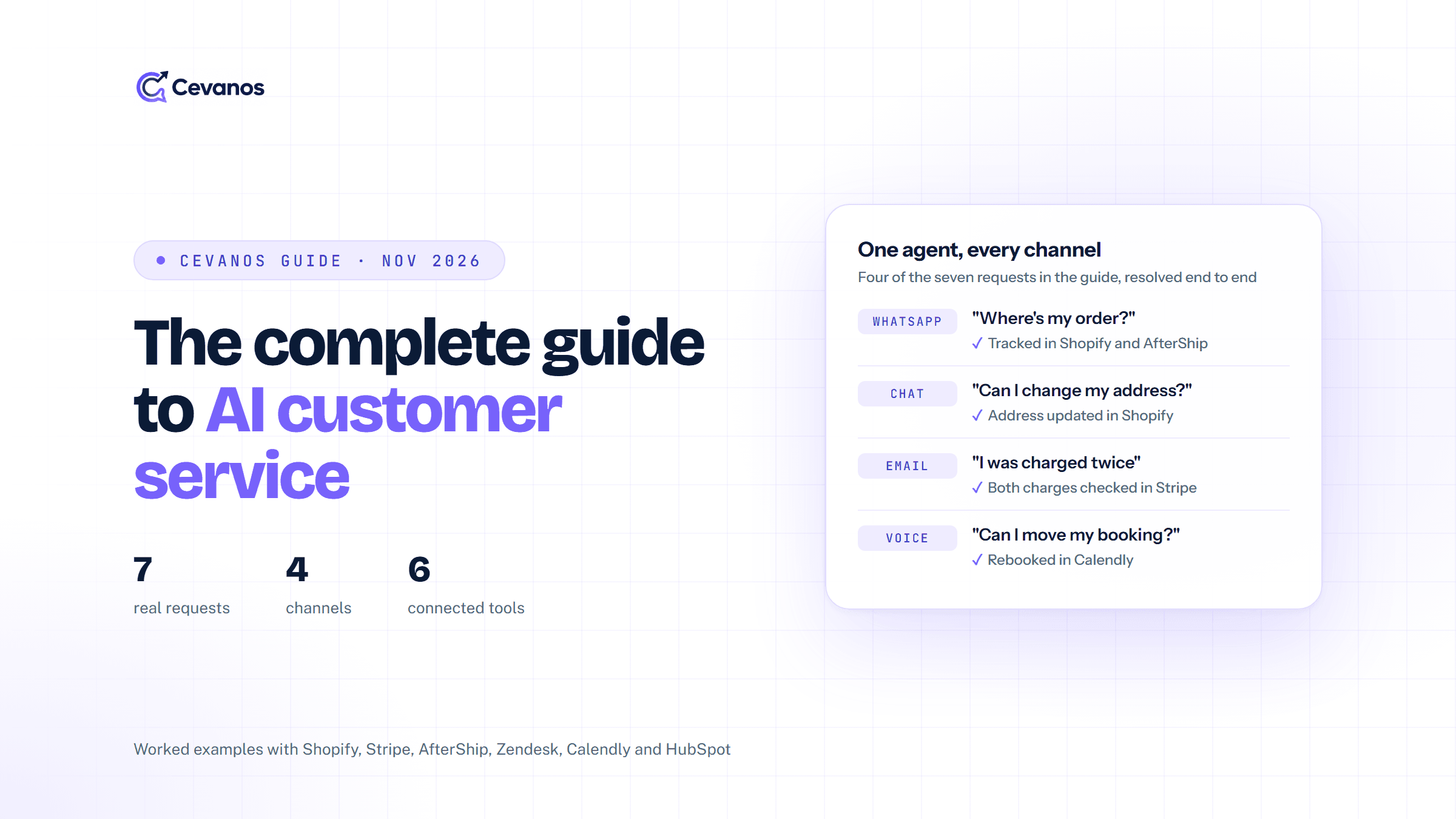
Here's how a Cevanos agent handles seven common requests, step by step. The first five use an online store on Shopify that tracks parcels in AfterShip and handles tickets in Zendesk. The others use a subscription business that bills through Stripe and a clinic that takes bookings through Calendly. Names, order numbers and amounts are made up.
1. "Where's my order?"
Channel: WhatsApp. Connected: Shopify, AfterShip, Zendesk.
How Cevanos handles it:
- Finds the order in Shopify and verifies the customer before sharing any details.
- Reads the fulfillment in Shopify for the carrier and tracking number.
- Pulls the tracking history and delivery estimate from AfterShip.
- Replies in plain words: where the parcel is and when it should arrive.
If the parcel is stuck: add one line to your instructions, such as "if a parcel hasn't moved in 5 days, open a Zendesk ticket". Cevanos then tells the customer it's looking into it, opens the ticket with the order and tracking details, and says when they'll hear back.
What you set up in Cevanos: connect Shopify, AfterShip and Zendesk, turn on the order and shipment lookups for your agent, and add WhatsApp as a channel.
2. "My order arrived broken"
Channel: website chat. Connected: Shopify.
How Cevanos handles it:
- Verifies the customer with a one-time code, because money is involved.
- Reads the order in Shopify: the item, the price, the delivery date and any earlier refund.
- Offers the refund and asks the customer to confirm with one tap.
- Checks the refund against your refund rule, for example "damaged items up to $100, reported within 30 days of delivery", and against the real order. The AI can't approve its own refund; Cevanos's rule check does.
- Refunds the item on the Shopify order, once, and confirms.
If it's over the limit: if the item were a $640 espresso machine, the agent wouldn't refuse or stall. On Standard and Pro plans, the refund goes to your approval queue, and the agent tells the customer a colleague needs to approve it. Your team approves or declines it with the order and conversation in front of them.
What you set up in Cevanos: connect Shopify, turn on order lookups and refunds, and write your refund rule in plain English. Refund rules are available on every paid plan. Prefer to keep refunds manual? Cevanos still verifies the customer, checks the order and starts the return in Shopify, then hands the refund to your team in the Inbox.
3. "I was charged twice"
Channel: email. Connected: Stripe.
How Cevanos handles it:
- Finds the customer in Stripe.
- Reads their recent payments and active subscriptions.
- Compares the two charges: amount, date and what each one was for.
- Explains the result, or hands a real duplicate to your billing team.
If it really is a duplicate: same amount, same minute, one subscription. Cevanos hands the conversation to your billing team in the Inbox with both charges in view, and tells the customer when to expect an answer. The investigation is done; a person just issues the refund in Stripe.
What you set up in Cevanos: connect Stripe and your email channel, and turn on the payment and subscription lookups.
4. "Can I change my delivery address?"
Channel: website chat. Connected: Shopify, AfterShip.
How Cevanos handles it:
- Verifies the customer and finds the order.
- Checks the fulfillment status in Shopify.
- If the order hasn't shipped, updates the shipping address on the Shopify order and reads it back.
- If it has shipped, checks AfterShip for where the parcel is, explains that the address can't be changed now, and offers what your policy allows.
What you set up in Cevanos: turn on the address-change action and choose whether it runs straight away or waits for a person. You can safely let it run, because Cevanos only changes orders that belong to the verified customer.
5. "Do you have this in blue? I need 20."
Channel: website chat. Connected: Shopify, HubSpot.
How Cevanos handles it:
- Searches your Shopify catalog and checks stock for the blue version, and shows it as a product card in the chat.
- Answers product questions from the product page and your Sources: size, material, care.
- For a normal order, builds a cart and sends a checkout link with the right item already in it.
- For a bulk order above your threshold, creates a contact and a deal in HubSpot with the product, quantity and contact details, so sales can send a quote.
What you set up in Cevanos: connect Shopify and HubSpot, and turn on product search, carts, checkout, and contact and deal creation. Then put your bulk threshold in the instructions.
6. "I need to move my appointment"
Channel: phone. Connected: Calendly.
How Cevanos handles it:
- Asks for the email on the booking and sends a one-time code, because caller ID alone doesn't prove who is calling.
- Finds the appointment in Calendly.
- Checks your rescheduling rule from the instructions: free changes up to 24 hours before.
- Offers open slots, books the new one and cancels the old one.
If it's inside 24 hours: the agent explains your late-change policy and either applies it or hands the call to the front desk, whichever your instructions say.
What you set up in Cevanos: connect Calendly, turn on the booking actions, and add a phone line. Voice is available on the Standard and Pro plans.
7. "I want to talk to a person"
Channel: any. Connected: your Cevanos Inbox, and optionally Slack or Zendesk.
How Cevanos handles it:
- Hands over at once. It doesn't argue or try one more time.
- Moves the conversation to your Cevanos Inbox, with the reason it was handed over shown at the top. You can also alert your team in Slack, or have Cevanos open a Zendesk ticket.
- Tells the customer what happens next, based on your support hours.
- Someone on your team presses Take over and replies in the same conversation, on the same channel.
When things go wrong: how Cevanos handles edge cases
The scenarios above go smoothly. Real support doesn't always. Here's what a Cevanos agent does in the situations that trip up most AI customer support tools.
| Situation | What Cevanos does |
|---|---|
| The customer can't prove who they are | Answers general questions from your Sources, but keeps order and account details locked. Actions that need proof aren't offered to the AI at all |
| A refund is over your limit | Sends it to your approval queue (Standard and Pro) or hands it to your team, and tells the customer a colleague needs to approve it, never that it's done |
| A connected system is slow or down | Records the outcome as unknown instead of guessing, never retries a refund or change on its own, and leaves it for a person to check |
| The store and the carrier disagree | Hands over with the reason, if your instructions say so; a person decides |
| The question isn't in your content | Says it doesn't know instead of inventing an answer, and hands over if your instructions say so |
| The customer asks for a person | Hands over straight away to your Inbox, without making them argue for it |
| The customer is upset or mentions legal action | Hands over early, with the conversation attached, so they don't repeat themselves |
| Someone tries to talk the agent into more | Can't be talked into it: the AI holds no authority to approve its own refund or change a limit, whatever the customer says |
| One message contains several problems | Handles them one at a time, and hands over anything it can't finish with the context attached |
The pattern is the same every time: when the agent isn't sure, it says so and brings in a person with the context attached. An agent that guesses to avoid a handoff costs more than the handoff would have.
More AI customer service use cases
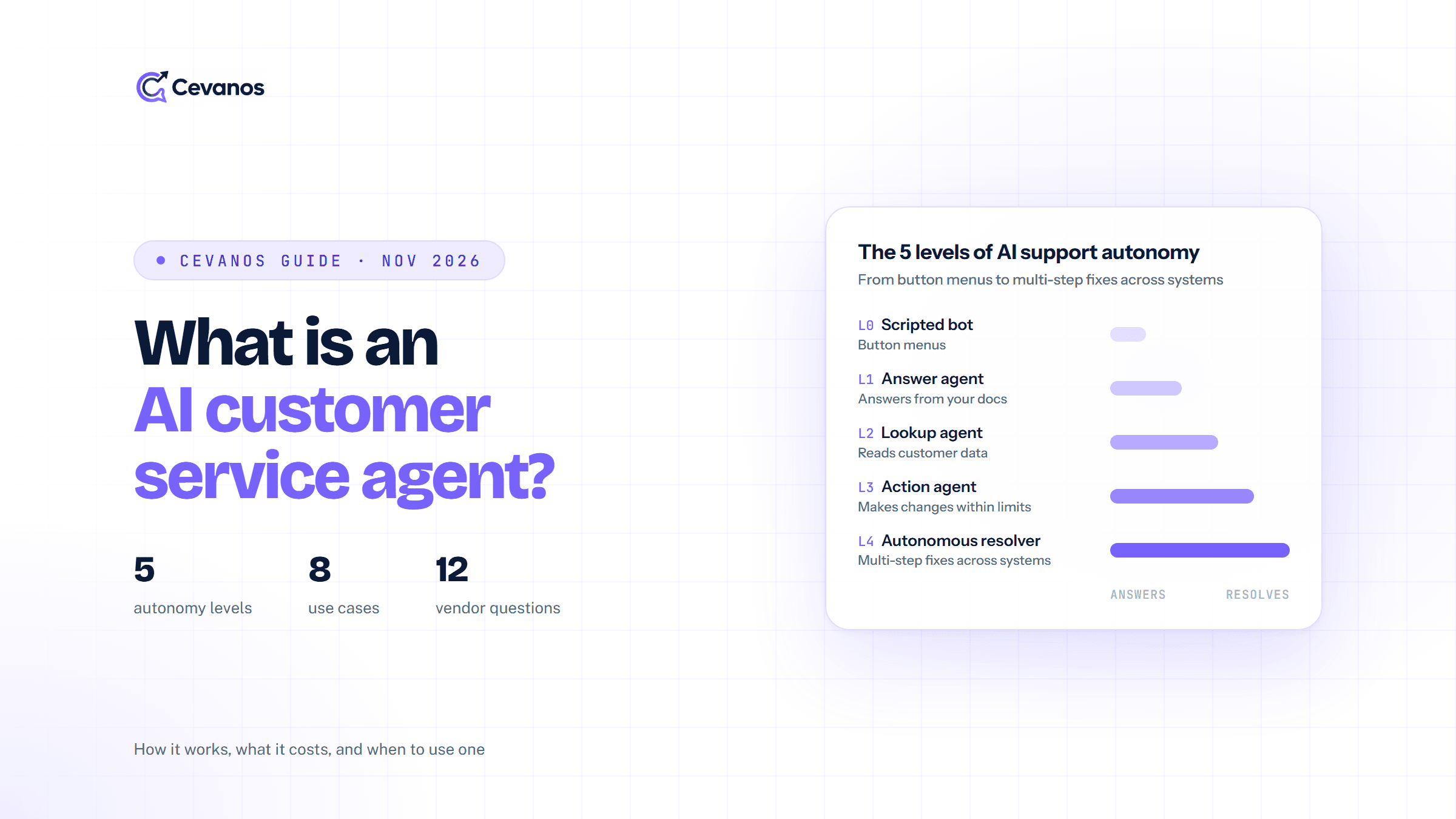
The seven scenarios cover the most common requests in ecommerce and services. Here's the wider picture, with the Cevanos integrations that power each one. Our guide to the five levels of AI support autonomy explains how much freedom to give each task.
| Use case | What the agent does | Cevanos integrations |
|---|---|---|
| Answers from your knowledge | Answers policy, product and how-to questions from your content, in many languages | Your website, help center and files |
| Order status and tracking | Reads the order and the carrier's tracking | Shopify, WooCommerce, BigCommerce, AfterShip |
| Returns, refunds and cancellations | Checks eligibility and acts within your rules | Shopify, WooCommerce, BigCommerce |
| Bookings and appointments | Finds slots, books, moves and cancels | Calendly, Cal.com |
| Billing questions | Explains charges and subscriptions | Stripe |
| Pre-sales and recommendations | Answers product questions, recommends, sends a checkout link | Shopify product, cart and checkout actions |
| Lead capture | Qualifies the lead and creates it in your CRM for sales | HubSpot, Salesforce, Pipedrive |
| Tickets and follow-up | Creates and updates tickets so nothing gets lost | Zendesk, Freshdesk, Gorgias, Intercom |
| Team escalation | Brings in a person with the conversation attached | Cevanos Inbox, Slack |
| Voice on your phone line | Handles the same requests by phone, in natural speech | Cevanos voice (Standard and Pro) |
| Your own systems | Reads from and acts in tools without a ready-made integration | Custom API, MCP tools |
Why customer service AI matters now: the numbers
AI in customer service has moved from experiment to operating plan. A few data points show the direction, and the tension that comes with it:
- Analysts expect most routine issues to be resolved by AI. Gartner predicts that by 2029, agentic AI will autonomously resolve 80% of common customer service issues without human intervention, leading to a 30% reduction in operational costs.
- Service teams expect the share to grow fast. In Salesforce's seventh State of Service report, service teams estimated that AI resolves 30% of cases today and expected that to reach 50% by 2027.
- AI makes human agents better, especially new ones. Researchers at Stanford and MIT studied 5,000+ support agents. An AI assistant raised issues resolved per hour by 14% on average, and by 34% for novice and lower-skilled agents.
- Customers are not convinced yet. In a Gartner survey of 5,728 customers, 64% said they would prefer companies didn't use AI for customer service. Their top concern was that AI would make it harder to reach a person.
- Replacing people entirely is not the plan that sticks. Gartner predicts that by 2027, half of the organizations that expected to significantly cut their customer service workforce because of AI will abandon those plans.
The message is clear. AI will handle a growing share of support, but the winners will be the teams that use it to resolve problems properly and keep people within easy reach. That's the balance Cevanos is designed for.
Benefits of AI in customer service with Cevanos
- Requests resolved, not just answered. Order lookups, address changes, refunds, bookings and checkout links happen in the conversation, so fewer requests reach your queue.
- One agent on every channel. The same knowledge, integrations and rules on website chat, WhatsApp, email and the phone, so customers get the same answer wherever they ask.
- Around the clock. A customer who messages at 2 a.m. gets their tracking update, their rebooked appointment or their checkout link at 2 a.m.
- More sales from support. Pre-sales questions become carts, checkout links and qualified leads in your CRM.
- Better handoffs. Your team picks up with the full conversation and the reason for the handoff, so customers never start again.
- Room to grow. Start with answers, then add actions, channels and voice when you're ready, without switching tools.
Klarna's experience is a useful reminder of the balance. In February 2024 the company said its AI assistant handled 2.3 million conversations in its first month, two-thirds of its service chats. In 2025, its CEO said the company would make sure customers can always reach a person. AI took on the volume; people remained part of the service.
AI customer service software: the five main types of tools
The AI customer service software market is crowded, and vendors describe themselves in similar words. It's easier to compare tools by type first.
| Type | What it is | Best for | Examples |
|---|---|---|---|
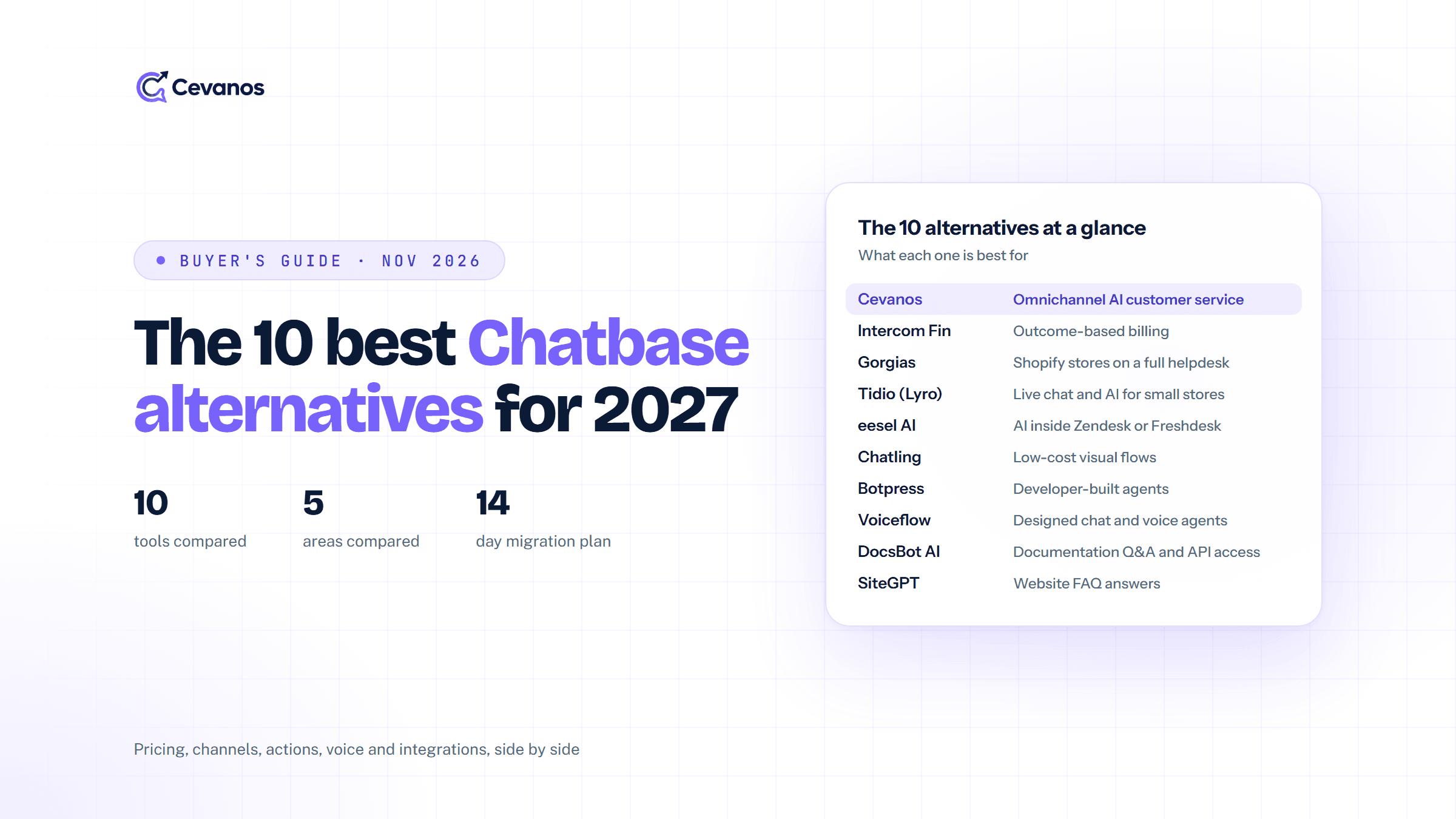
| AI agent platforms | Stand-alone AI agents that answer and take actions across channels, connected to your existing tools | Resolving requests end to end on chat, email, messaging and voice | Cevanos, Intercom Fin, Chatbase |
| Helpdesk suites with built-in AI | Ticketing systems that added AI agents and copilots | Teams that want one vendor for inbox and AI | Zendesk, Freshdesk, Gorgias |
| AI add-ons for an existing helpdesk | AI that works inside the helpdesk you already use | Established teams that don't want to switch tools | eesel AI |
| Builder and developer platforms | Toolkits for designing custom chat and voice agents | Teams with developers or conversation designers | Botpress, Voiceflow |
| Knowledge and FAQ bots | Bots trained on your website and documents | Answering questions without taking actions | DocsBot AI, SiteGPT, Chatling |
How to choose an AI customer service tool
Whatever AI customer service software you pick, check these six things. Here's how Cevanos answers each one.
| Question to ask | Why it matters | Cevanos |
|---|---|---|
| Does it cover the channels your customers use? | One agent everywhere is easier to run than one tool per channel | Website chat, WhatsApp, email and voice |
| Does it connect to your store, payments, shipping and helpdesk? | Without connections, AI can only answer, not resolve | 40+ integrations, plus custom APIs and MCP tools |
| Can it take actions, not just read? | The value is in refunds, changes and bookings | Yes, and you choose which actions, and whether each runs or waits for a person |
| What happens when it hands over? | A bad handoff makes customers repeat themselves | Your Inbox, with the conversation and the reason attached |
| What will it really cost at your volume? | Headline prices hide usage | Credit-based plans from $39 a month |
| Can you see it work before customers do? | Proof beats demos | The free plan shows what the agent would have done |
If you're replacing a knowledge-base chatbot specifically, our comparison of Chatbase alternatives goes through ten options in detail.
How to calculate the ROI of AI customer service
ROI comes down to one comparison: what it costs you to resolve a request with AI versus with a person, multiplied by how many requests the AI actually resolves.
Monthly AI benefit = (AI-resolved conversations × your cost per human-handled contact) - (AI platform and usage cost + upkeep time)
Here's a worked example. The numbers are illustrative assumptions, not benchmarks; replace them with your own.
| Line | Value | How it's worked out |
|---|---|---|
| Conversations per month | 10,000 | Your volume |
| Verified AI resolution rate | 40% | Measured on real conversations, not deflection |
| Conversations resolved by AI | 4,000 | 10,000 × 40% |
| Your cost per human-handled contact | $6.00 | Assumed for this example |
| Human cost avoided | $24,000 | 4,000 × $6.00 |
| AI platform and usage | $1,500 | Assumed monthly bill |
| Upkeep: knowledge, rules and reviews | $1,600 | 40 hours × $40 |
| Net monthly benefit | $20,900 | $24,000 - $1,500 - $1,600 |
| Effective cost per AI resolution | $0.78 | ($1,500 + $1,600) ÷ 4,000 |
Three things make or break this math:
- Use verified resolution. Count a conversation as resolved only if the customer's problem was solved. That means they confirmed it, the action completed, or they didn't contact you again about the same issue within a few days. Counting every conversation that didn't reach a person inflates ROI with customers who simply gave up.
- Actions drive the number. An agent that only answers questions resolves less than one that can also look up orders, change addresses and refund within your rules. That's why the scenarios above matter more than the model.
- Failed AI attempts cost extra. A customer who struggles with the AI and then reaches a person costs you both. Track those conversations separately.
For more on pricing models and the cost per resolution, see the cost section of our AI customer service agent guide.
How to implement AI customer service: a 90-day plan with Cevanos
The teams that succeed treat AI customer service as an operations project, not a software install. Start simple and add more as the results earn it.
Days 1 to 15: choose and prepare
- Pull your last three months of tickets and find the five to ten most common request types.
- Pick three to five to start with, mostly ones the agent can answer from your content or by reading a record, such as product questions and order status.
- Add your website, help center and policies to Cevanos as Sources, and fix outdated articles: they cause more wrong answers than the model does.
- Write down the rules people currently apply from memory: who qualifies for a refund, what needs a manager, what must never be promised.
Days 16 to 30: connect and test
- Connect the systems the agent needs to read, such as Shopify, AfterShip and Stripe, and turn on their lookups.
- Write your instructions: tone, when to hand over, and what to do when a parcel is stuck or a question isn't covered.
- Test the agent in the Playground on 100 or more real customer questions, including the edge cases above.
Days 31 to 60: launch in one place
- Go live on one channel, such as website chat, for the chosen request types.
- Read conversations daily at first, then weekly, and keep improving your Sources and instructions.
- Turn on the first low-risk action, such as address changes before shipping, set to wait for a person until you trust it.
Days 61 to 90: expand
- Let proven actions run straight away, and add refunds with a refund rule.
- Add channels one at a time: email, WhatsApp, then voice.
- Report results on the metrics below, and agree on the next three request types to automate.
If you want a shorter, one-month version, our guide includes a 30-day pilot plan.
AI customer service metrics that matter
What you measure decides what the AI is optimized for. Measure the outcome for the customer, not just the activity.
| Metric | What it tells you | Watch out for |
|---|---|---|
| Verified resolution rate | Share of conversations where the problem was actually solved | Counting customers who gave up as resolved |
| Escalation rate and reasons | How often the AI hands over, and why | A low rate can hide customers stuck in a loop |
| Customer satisfaction (CSAT) on AI conversations | How customers felt about the AI experience | Low survey response rates skew results |
| Repeat contact rate | Whether customers come back about the same issue | Problems that "closed" but weren't fixed |
| Time to resolution | How long the full journey took, including handoffs | Fast replies that don't resolve anything |
| Action accuracy | Share of actions that were correct and within your rules | Any action taken outside your rules |
| Effective cost per resolution | Total AI cost divided by verified resolutions | Leaving out upkeep time and failed attempts |
Cevanos analytics show your conversations, resolutions, escalations and agent performance, so you can see what's working and what to improve next. The most common mistake is reporting "deflection" or "containment" as success. Both count conversations that didn't reach a person, whether or not the customer got help. Verified resolution is the number that tells the truth.
Risks of AI in customer service and how Cevanos manages them
These are the main disadvantages of AI in customer service. Each one is predictable, and each has a fix. Here's how Cevanos handles them.
Made-up answers
AI can state a policy that doesn't exist, confidently. In Moffatt v. Air Canada (2024), a Canadian tribunal held the airline responsible after its website chatbot gave a customer wrong information about a bereavement fare refund. The company is accountable for what its AI says.
In Cevanos: the agent answers from your Sources. When your content doesn't cover a question, your instructions can tell it to say "I don't know" and hand over.
Wrong actions
Once AI can refund, cancel or change records, a mistake costs money, and a persuasive customer may try to talk it into more than it should do. A rule written only in a prompt, such as "only refund up to $50", is a request to the model, not a guarantee.
In Cevanos: the AI model never writes to your systems or moves money itself. Cevanos's own code checks every change against the real record and the customer's identity. Refunds are also checked against your refund rule, and you decide which actions wait for a person.
Customers who can't reach a person
This is customers' biggest worry about AI service, and the fastest way to lose their trust.
In Cevanos: the agent hands over to your Inbox, with the full conversation, whenever a customer asks or your instructions say so. Your team replies in the same thread.
Privacy and data security
AI tools read customer data and connect to core systems.
In Cevanos: each workspace's data is kept separate, and integration credentials are stored encrypted. One-time codes are never stored in plain text, and customers must verify before the agent shares their order or account details.
Regulation and disclosure
Under the EU AI Act, from 2 August 2026 people must be told when they're interacting with an AI system, unless it's obvious from the context. Other markets have their own consumer protection and privacy rules.
What to do: say clearly that the customer is talking to AI, keep records of what it did, and check the rules in each market you serve.
Cost surprises
Usage-based pricing can grow faster than expected.
What to do: model your monthly cost at today's volume and at double, and track effective cost per resolution every month. Cevanos plans include a monthly credit allowance, so you know your base cost up front.
The future of AI in customer service
A few shifts are already underway and will shape the next two to three years:
- From answering to acting. AI agents for customer service that complete tasks across connected systems are becoming the default. Buyers will compare tools on what they can resolve, not what they can say.
- Voice catches up with chat. Natural, low-latency voice agents are making the phone line automatable for routine requests.
- Proactive service. AI will increasingly contact customers before they ask: a delayed parcel, a failed payment, a booking conflict.
- Support and sales merge. The same agent that answers "where's my order?" will recommend products, qualify leads and help with onboarding.
- People as supervisors. Human agents will spend more time on complex cases and exceptions, and on improving the AI's knowledge.
Get started with Cevanos
Cevanos is an AI customer service and experience platform that goes beyond answering questions to resolving customer requests, across every channel your customers use:
- Omnichannel AI support: one agent on website chat, WhatsApp, email and voice.
- 40+ integrations: helpdesks such as Zendesk, Intercom and Freshdesk, stores such as Shopify and WooCommerce, CRMs, billing and shipping tools, plus custom APIs and MCP tools.
- Trained on your business knowledge: your website, help center, FAQs and documents.
- From answering to action: order and payment lookups, refunds, address changes, checkout links, bookings and tickets.
- Human handoff with context: you decide when the agent hands over, and your team gets the conversation and customer details.
- Sales and customer experience: pre-sales answers, product recommendations, lead capture, onboarding and retention.
- Analytics: conversations, resolutions, escalations and agent performance.
Start simple, with answers from your own content, and turn on actions, more channels and voice as your confidence grows. For mid-market and enterprise teams that need more control, optional advanced governance adds plain-English policies, approval limits, simulation and audit logs.
Frequently asked questions
What is AI customer service?
AI customer service is the use of artificial intelligence to answer, route and resolve customer requests across channels such as website chat, email, WhatsApp and voice. It includes AI agents that talk to customers directly, copilots that help human agents, and AI that routes tickets and reviews conversation quality.
What is an example of AI in customer service?
A customer asks "where's my order?" on WhatsApp. A Cevanos agent verifies them, finds the order in Shopify, reads the latest tracking event in AfterShip, and replies with the delivery estimate. If the parcel is stuck, it opens a Zendesk ticket with the details and tells the customer when they'll hear back.
What is Cevanos?
Cevanos is an AI customer service and experience platform that goes beyond answering questions to resolving customer requests. One AI agent works across website chat, WhatsApp, email and voice. It connects to 40+ tools such as Shopify, Stripe, AfterShip, Zendesk and HubSpot. It takes actions like refunds, address changes and bookings, and hands over to your team with full context.
What is the best AI tool for customer service?
It depends on what you need it to do. Cevanos is built for one job: resolving requests across website chat, WhatsApp, email and voice, connected to your store, payments, shipping and helpdesk. If you only need answers from your documents, a knowledge-base chatbot may be enough. If your team works in one helpdesk all day, its built-in AI is worth a look. Whichever you consider, test it on your own real customer questions before you commit.
Can one AI agent work with Shopify, Stripe and a helpdesk at the same time?
Yes. In Cevanos, one agent can be connected to your store, Stripe, AfterShip and your helpdesk together. Each system answers a different question: the store for orders, Stripe for payments, AfterShip for parcels and the helpdesk for tickets. The agent reads from each as needed and acts in the system that owns the record.
Can Cevanos issue refunds?
Yes. Cevanos refunds orders on Shopify, WooCommerce and BigCommerce within a refund rule you write in plain English, available on every paid plan. The AI model never moves money itself: Cevanos checks each refund against your rule and the real order, and sends anything above your limit for approval. Refunds on Stripe charges are handed to your team.
How is AI customer service different from a chatbot?
A traditional chatbot follows pre-written scripts and keyword rules. AI customer service understands free-form questions and answers from your own content. Connected to your systems, it can also complete tasks such as checking an order or processing an eligible refund.
Will AI replace customer service agents?
Not entirely. AI is taking over a growing share of routine requests, but people remain essential for complex, sensitive and new problems, and for improving the AI. Gartner predicts that by 2027, half of the organizations that planned to significantly cut their service workforce because of AI will abandon those plans.
Is AI customer service good?
It's good when it resolves the problem correctly and makes it easy to reach a person. It's bad when it's used to keep customers away from your team. In a Gartner survey, 64% of customers said they'd prefer companies didn't use AI for service, mostly because they feared it would make reaching a person harder. Ground it in your own content, connect it to your systems, and hand over with context, and customers get faster answers without the frustration.
What are the disadvantages of AI in customer service?
The main ones are made-up answers, wrong actions, customers who can't reach a person, privacy risks and unpredictable costs. Each has a practical fix. Ground answers in your own content, and check every action against the real record outside the AI model. Make handoff easy, verify identity before sharing details, and model your costs at double your volume. The risks section above shows how Cevanos handles each one.
Can small businesses use AI customer service?
Yes. Cevanos plans start at $39 a month, and connecting Shopify, WooCommerce or a helpdesk takes no developers. Start with answers from your help content, then add order lookups and actions as you see results.
How much does AI customer support cost?
It depends on the pricing model: per message or credit, per conversation, per resolution or per seat. Small businesses can start for tens of dollars a month, while large deployments cost thousands. Cevanos plans start at $39 a month ($29 billed yearly) and include a monthly credit allowance. Compare tools on effective cost per verified resolution, including your team's upkeep time.
Do I have to tell customers they're talking to AI?
In many places, yes. Under the EU AI Act, from 2 August 2026 people must be informed when they're interacting with an AI system unless it's obvious. Even where it isn't required, being upfront builds trust, especially when you also offer an easy way to reach a person.
How long does it take to implement AI customer service?
A simple agent that answers from your content can go live in days. A rollout with integrations and actions such as refunds typically takes 30 to 90 days. Add your content, connect your systems and test on real questions. Then launch on one channel and add actions and channels step by step.
The bottom line
AI customer service is no longer a question of whether, but of how well. Connected to your store, payments, shipping and helpdesk, an AI agent can resolve a large share of routine requests from start to finish. It hands the rest to your team with the full story attached. That's what Cevanos is built to do: resolve the request, on the channel the customer chose, and bring in a person when it should.
Start simple, prove it on real conversations, and expand one workflow at a time.
Sources
- Gartner, "Gartner Predicts Agentic AI Will Autonomously Resolve 80% of Common Customer Service Issues Without Human Intervention by 2029", 5 March 2025. gartner.com
- Gartner, "Gartner Survey Finds 64% of Customers Would Prefer That Companies Didn't Use AI for Customer Service", 9 July 2024. gartner.com
- Gartner, "Gartner Predicts 50% of Organizations Will Abandon Plans to Reduce Customer Service Workforce Due to AI", 10 June 2025. gartner.com
- Salesforce, "AI Expected to Resolve Half of Service Cases by 2027, Data Shows", State of Service, seventh edition, 2025. salesforce.com
- Brynjolfsson, Li and Raymond, "Generative AI at Work", NBER Working Paper 31161, 2023; Quarterly Journal of Economics, 2025. nber.org
- Klarna, "Klarna AI assistant handles two-thirds of customer service chats in its first month", 27 February 2024. klarna.com
- Entrepreneur, "Klarna Is Hiring Customer Service Agents After AI Couldn't Cut It on Calls, According to the Company's CEO", May 2025. entrepreneur.com
- CBS News, coverage of Moffatt v. Air Canada, 2024 BCCRT 149, February 2024. cbsnews.com
- EU Artificial Intelligence Act, Article 50: Transparency obligations for providers and deployers of certain AI systems. artificialintelligenceact.eu
- AI customer service
- AI in customer service
- customer service AI
- AI customer support
- AI in customer service examples